
ERP Inventory Management and Integration: AI Automation Built on Your Existing ERP
Without the cost and disruption of a full ERP replacement project.
Connecting warehouse scans, production transactions, demand forecasting, and compliance documentation directly to the ERP inventory management already in place.
Book a Discovery Call






















 Client


 Partner
 Member











What Is ERP Inventory Management, and Why Most Manufacturers Are Not Getting Value From Their ERP Inventory Module
For manufacturers and distributors, the problem is rarely the module itself. It is the module running on outdated data, manual updates, and disconnected warehouse or compliance workflows.
ERP inventory management is the centralized control of stock levels, purchase orders, production orders, and fulfillment within an ERP system, which connects inventory data to the financial, production, and logistics modules that surround it. When it works, the ERP inventory module is the single source that tells what is in stock, where it is, what it costs, and when it needs to be replenished.
Most mid-market manufacturers already have an ERP with an inventory module. Most of those modules are technically live but operationally broken, because the data entry that keeps the module accurate is inconsistent, delayed, or manual.
The stock counts in the ERP do not match the warehouse, because purchase orders get received on the floor before anyone enters them into the system. Production orders consume components on the shop floor, but the ERP inventory balance does not update until someone runs a batch job that night.
The best ERP inventory management for small to mid-sized businesses is not necessarily the most feature-rich platform on the market, especially for mid-market manufacturers with 50 to 500 employees.
Feature-Rich → Actually Accurate
The best inventory management module in an ERP is the one whose data is actually accurate in real time. That requires connecting barcode scans, production order transactions, and receiving records to the ERP inventory module automatically, so inventory reflects physical reality without typing it in after the fact.
Essential Features of an ERP System for Inventory Optimization
The essential features of an ERP system for inventory optimization are not the same as the features in a standalone inventory app. ERP inventory management software gets its value from connecting stock levels to the operational data that drives them: production orders, purchase orders, sales orders, and warehouse transactions. A feature list that looks impressive in a demo means very little if it is not tied to what is actually moving through the plant.
Real-Time Stock Visibility
Current stock levels, locations, and lot numbers should be visible to the entire organization, not a snapshot from last night's closing batch.
Multi-location and multi-warehouse inventory needs to be tracked in a single view, with transfers, receipts, and shipments updating the balance as they happen rather than at the end of the day.
GrayCyan adds barcode scan integration that writes directly to ERP inventory records without manual entry or batch import.
Demand-Driven Reorder Points
Reorder points and safety stock levels should be calculated from actual consumption history, supplier lead times, and seasonal demand patterns, not static minimums that someone set years ago and never revisited.
Purchase order suggestions should generate automatically when stock approaches the reorder point, with quantity recommendations based on economic order quantity.
GrayCyan adds machine learning demand forecasting trained on 12 to 24 months of ERP order history, so reorder points update automatically as consumption patterns shift instead of waiting for a planner to notice.
Lot and Serial Number Traceability
Every inventory receipt needs a lot or serial number that travels through all downstream transactions such as production order issues, shipments, and returns.
Forward trace tells you which customers received stock from a given lot. Backward trace tells you which supplier lots went into a finished goods lot.
This is required for FSMA 204, USDA, FDA, and ISO compliance, and it is the ERP inventory feature that is most often technically available but practically unused in mid-market operations.
Inventory Valuation and Costing
Stock value should be calculated in real time using the costing method that matches the operation, such as standard cost, average cost, FIFO, or lot-specific actual cost.
Inventory adjustments and write-offs need proper accounting entries attached automatically, not a manual journal that someone has to reconcile later.
Cost variance analysis, actual purchase price against standard and actual production consumption against the bill of materials, should be routine rather than a special project.
Cycle Counting and Physical Inventory
Systematic cycle counting by location, ABC class, or product category avoids the need for a full physical inventory shutdown.
Count sheets should be generated from the ERP inventory management software, discrepancies should get flagged automatically, and adjustments should post with an audit trail rather than a spreadsheet nobody can find six months later.
Replenishment and Purchasing Integration
Reorder points need to connect directly to purchase order creation, without a planner manually monitoring stock levels on a spreadsheet.
Supplier lead times should be stored per item per supplier, so reorder point calculations account for actual supplier performance instead of an assumed lead time that has not been accurate in years.
AI-Powered Inventory Optimization
Inventory optimization goes beyond reorder points. Machine learning models built on ERP inventory management software data can identify slow-moving stock, detect demand anomalies before they cause stockouts, and flag overstock that is tying up working capital.
Demand forecasting should work by SKU, by location, and by customer segment, not as one aggregate forecast applied to every item equally. Anomaly detection can flag ERP inventory transactions that deviate from historical patterns.
Is your ERP inventory module live but operationally broken?
Tell us which ERP you run and where the data entry is delayed or manual. That is usually the gap worth measuring first.
ERP Inventory Integration: Connecting Your ERP to Warehouse, Accounting, and Connected Systems
ERP inventory management is only as valuable as the integrations that keep it accurate. An ERP inventory module that receives updates once a day from a warehouse management system, manually from receiving teams, and on a delay from production is not a real-time inventory system. It is a lagging report that happens to live inside an ERP.
How to integrate ERP inventory management with existing accounting systems
The ERP inventory module and the accounting system should be the same system, not two systems that sync on a schedule. In a properly configured ERP warehouse integration, every inventory transaction generates an automatic accounting entry. Receipts debit inventory and credit accounts payable. Shipments debit cost of goods sold and credit inventory. Adjustments post to the appropriate variance account without touching a journal entry.
No End-of-Day Reconciliation
Where the integration breaks down is when the ERP's inventory module and the accounting module were configured separately and now require manual reconciliation. GrayCyan's approach is to build middleware that writes inventory transactions to both the inventory and accounting ledgers simultaneously. There is no end-of-day reconciliation and no manual journal entry sitting on someone's desk waiting to get caught up.
Comparing approaches to real-time inventory tracking within an ERP

Perpetual Inventory With Real-Time Scan
Every movement gets scanned at the point of action: receiving dock, production floor, shipping dock, a transfer between locations. ERP inventory updates at the moment of the transaction.
This is the highest accuracy approach, and it requires the most consistent data capture discipline on the floor.

Perpetual Inventory With Batch Upload
A warehouse management system collects transactions and uploads them to the ERP on a scheduled interval, whether that is hourly, every four hours, or overnight.
ERP inventory lags behind physical reality by the length of that batch interval. This is common in operations running a standalone WMS alongside the ERP inventory management software.

Periodic Inventory
Periodic inventory relies on physical counts at scheduled intervals, with inventory adjusted to match the count.
This is the lowest effort approach day to day, and it also carries the highest inaccuracy between counts. It is not suitable for operations running production orders or carrying lot traceability requirements.
Our recommendation is simple. Perpetual inventory with real-time scan is the target state for any manufacturer with production orders or lot traceability requirements. Batch upload is acceptable for pure distribution operations without those complications. Periodic counting only makes sense for low-SKU, low-regulation environments.
What ERP Warehouse Integration Covers
Receiving
A warehouse scan at the dock links to the ERP purchase order, creates an inventory receipt, and updates available stock and the financial accrual automatically.
Putaway
The location assignment gets written to the ERP inventory record, so every SKU has a known bin location instead of a guess.
Production Picking
Component issues against production orders get scan-confirmed, ERP inventory gets decremented, and the work-in-process account gets debited automatically.
Shipping
An outbound pick confirmed by scan closes out the ERP sales order, decrements inventory, and posts cost of goods sold.
Transfers
Inter-location or inter-facility transfers get tracked through the ERP, so stock does not disappear in transit and reappear as a surprise adjustment three weeks later.
Using the ERP as the inventory system of record
The ERP should be the inventory system of record, the single source of truth that every other system, whether that is a WMS, a 3PL, a production floor terminal, or an e-commerce platform, reads from and writes back to. When the ERP is not the system of record, inventory fragments across the business. The warehouse has one count, e-commerce has another, and production has a third, and reconciling all three becomes someone's part-time job.
All Sources Write In, All Teams Read Out
GrayCyan's integration work makes the ERP the integration hub. This kind of work often overlaps with custom WMS development, particularly for operations running a standalone warehouse system that was never properly connected to the ERP in the first place.
GrayCyan ERP Inventory Management: What We Build
GrayCyan does not sell an ERP inventory management system. We build the AI automation and integration layers that make the ERP inventory module you already have work the way it was designed to.
That means real-time data, automated reorder points, lot traceability, and inventory optimization that runs without manual reconciliation.
What that typically includes:
- Real-time scan integration: barcode and RFID scan events at receiving, production, and shipping write directly to ERP inventory records through API middleware. No batch upload, no delay, no manual entry.
- Demand forecasting on ERP data: a machine learning model trained on 12 to 24 months of ERP order history generates SKU-level demand forecasts and reorder point recommendations, updated automatically as sales patterns shift.
- Inventory anomaly detection: continuous monitoring flags unusual patterns, whether an unexpected stock decrease, a receiving variance above threshold, or production consumption that deviates from the bill of materials, before those problems show up in a physical count.
- Lot traceability automation: every lot code gets traced through all ERP inventory transactions from receipt to shipment, with FSMA 204-compliant key data element records generated at each critical tracking event automatically.
- Accounting integration: inventory transactions connect to the general ledger in real time. No manual journal entries, no end-of-month reconciliation between inventory and finance.
- Reporting and dashboards: inventory accuracy metrics, carrying cost analysis, slow-moving stock reports, and reorder status dashboards, all built on live ERP inventory data without a separate BI tool bolted on top.
Every integration and AI layer GrayCyan builds is fully owned by the manufacturer at completion. There are no recurring license fees for what was built. For the broader picture of how AI fits into your ERP beyond inventory, see ERP AI automation for manufacturing.
ERP Inventory Management in Practice: GrayCyan Deployments
Three deployments across Fishbowl distribution, USDA-regulated food processing, and an ITAR-controlled on-premises environment. No ERP replaced in any of them.
Fishbowl ERP, Distribution Manufacturer
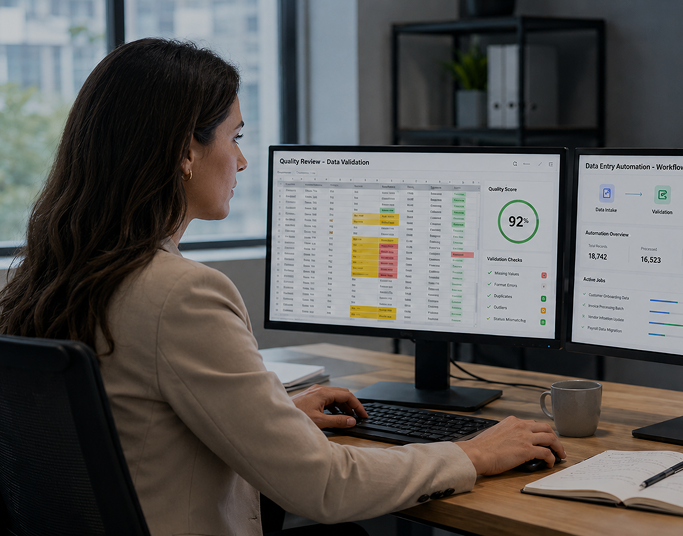
A distributor running Fishbowl was spending roughly 12 hours a day on manual data entry bridging ERP inventory records, warehouse pick-pack-ship activity, and procurement. The ERP inventory balance was never accurate in real time, because it depended on someone keying in what had already happened hours earlier.
GrayCyan built middleware connecting the Fishbowl inventory module to warehouse scan events, so receiving, putaway, picking, and shipping all wrote to the ERP in real time without manual entry.
The result was an 85 percent reduction in daily manual data entry, from 12 hours down to under 2 hours. The ERP inventory balance became accurate within minutes of each warehouse transaction, and full lot genealogy became traceable in minutes instead of days.

USDA-Regulated Meat Processor
A food processor had lot-tracked inventory in its ERP, but compliance documentation, including USDA batch records and lethality evidence, was still being assembled manually after production using ERP exports.
GrayCyan built a compliance documentation layer on top of the existing ERP inventory management and production data, so batch records, lot traceability, and lethality evidence generated automatically during production instead of after the fact.
Audit response time dropped from 2 to 3 days to under 60 seconds, with FSMA 204-compliant key data element records generated automatically at each critical tracking event and no ERP replacement involved.

Air-Gapped Defense Manufacturer
ITAR requirements ruled out cloud-based systems for this manufacturer, which meant full inventory management and engineering document retrieval needed to run entirely on-premises, on top of existing ERP infrastructure.
GrayCyan built an on-premises AI layer over the ERP inventory and engineering drawing history, enabling natural language queries across 40 years of part numbers, bills of materials, and manufacturing orders.
Engineering and inventory lookup time dropped from 30 to 45 minutes down to seconds, and zero data left the facility at any point.
Does your ERP balance match the warehouse right now?
If the answer depends on when the last batch job ran, real-time scan integration is the target state.
Who GrayCyan ERP Inventory Management Is Right For
An ERP Module Underperforming
A mid-market manufacturer or distributor with 50 to 500 employees whose ERP already has an inventory module, but is not getting real-time accuracy or automated optimization out of it.
ERP and Warehouse Disagree
Operations where ERP inventory does not match the warehouse because data entry is delayed or manual.
Compliance Records Needed
Needing lot traceability, FSMA 204 compliance, or USDA documentation connected to ERP inventory management records automatically.
One System of Record
Integrating a WMS, a 3PL, or an e-commerce platform with the ERP and needing a single inventory system of record.
Forecasting on Your Own Data
Looking for AI-powered demand forecasting and reorder optimization trained on your own ERP data.
This is probably not a fit if:
- You do not have an ERP yet. That is a platform selection and implementation project, and it should come first. Our independent ERP consulting work can help with that.
- You are looking for a standalone inventory app to replace your ERP. GrayCyan extends existing ERPs. We do not build new ones.
- Your inventory accuracy is below 80 percent. A data cleanup project needs to happen before automation gets layered on top, or the automation will just be optimizing bad data faster.
Frequently Asked Questions: ERP Inventory Management
Ready to Get More From Your ERP Inventory Module?
Tell us which ERP you run and where your inventory accuracy or automation is breaking down, whether that is real-time stock visibility, lot traceability, demand forecasting, or ERP warehouse integration.
GrayCyan will show you what connecting your existing ERP inventory module to real-time production data looks like for your operation.
See ERP AI automation for manufacturing for the broader scope →