





Executive Summary
Most WMS implementations that fail do not fail because the software was wrong. They fail because the WMS implementation process was treated as a software project rather than an operational change project.
The warehouse does not stop running during implementation. Data problems that were manageable before go-live become critical on day one. Staff who were not adequately trained find workarounds that undermine the system before it has a chance to prove itself.
This WMS implementation guide covers seven implementation phases, common failure points, timelines and costs.
Why WMS Implementation Fails More Often Than It Should
Three failure modes appear repeatedly.

The warehouse does not stop running while the system is being implemented
Item master data is incomplete or inconsistent
Unit of measure mismatches, missing dimensions, zero-weight items, duplicate SKUs break receiving, putaway and cartonization logic.
ERP integration works in a demo but fails on live production data
Partial receipts, special characters in lot numbers and untested order types expose gaps quickly.
The operation cuts over without a parallel run
The first picking and shipping errors reveal configuration gaps that could have been found during one week of controlled comparison.
The 7 Phases of WMS Implementation

Seven phases across roughly eighteen weeks, with overlap by design
| Phase | Typical timing | Core output |
|---|---|---|
| Phase 1 | Weeks 1 to 2 | Discovery and requirements audit |
| Phase 2 | Weeks 2 to 4 | WMS selection or custom build decision |
| Phase 3 | Weeks 3 to 6 | Data preparation and item master cleanup |
| Phase 4 | Weeks 4 to 10 | Configuration and ERP integration build |
| Phase 5 | Weeks 8 to 11 | Unit, integration, and UAT testing |
| Phase 6 | Weeks 11 to 14 | Training, parallel run, and go-live |
| Phase 7 | Weeks 14 to 18 | Hypercare and ownership transfer |
Phase 1: Discovery and Requirements Audit (Weeks 1 to 2)
No WMS should be configured before the operation has been mapped. The discovery phase produces three outputs: a current-state warehouse process map, a data audit that identifies gaps, and a requirements document that defines what the WMS must do before go-live is permitted.
The data audit covers the item master, location master, purchase orders, sales order types and production order links. The final output is a signed requirements document with testable acceptance criteria for go-live.
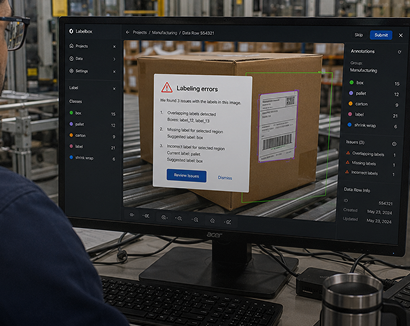
Nothing gets configured before the flow is on paper and signed off
The Process Map Should Cover the Full Warehouse Flow
Receiving
Including truck arrival, ASN or EDI use, receipt confirmation, lot assignment and quality holds.
Storage and putaway
Including fixed or random storage, zones, capacity limits, temperature controls and hazmat segregation.
Picking
Including discrete, batch, zone, paper or scan workflows, order volume and carrier cutoffs.
Pack and ship
Including packing stations, labels, carrier connections and compliance documents.
Returns
Including RMA review, inspection, restocking, rework or disposal.
Phase 2: WMS Selection or Custom Build Decision (Weeks 2 to 4)
The requirements document drives the selection or build decision. A packaged WMS can be a sensible choice when it supports the ERP, its picking methods and its compliance workflow with limited configuration. A custom WMS may be more economical when a manufacturer runs a less common ERP, needs specialized compliance records or would otherwise require extensive integration work.
- Native ERP support and the real scope of middleware or connector work.
- Demo results against specific requirements and test cases, rather than a standard sales demonstration.
- Total cost across software licensing, implementation, ERP integration, support and future upgrades.
- Ownership of the integration layer and responsibility when transactions fail.
- Scope the architecture, workflow logic and ERP transaction flows before work begins.
- Agree the build estimate, timeline and ownership transfer before work begins.
Phase 3: Data Preparation and Item Master Cleanup (Weeks 3 to 6)
Data preparation is the phase most implementations underinvest in and later regret. A WMS runs on item master data. Missing dimensions can break cartonization. Incorrect units of measure can cause receiving counts to disagree with purchase orders. Incorrect lot flags can leave regulated items without the required traceability.
Dimensions and packs: length, width, height, weight, unit of measure, inner pack and case pack configuration.
Traceability flags: lot tracking and expiration flags where applicable.
Handling attributes: temperature zone, hazmat classification and relevant access controls.
No conflicts: no duplicate records, conflicting units of measure or zero dimensions for bin stored items.

Item master cleanup is the most common reason a schedule slips
The location master needs complete aisle, bay, level, bin records, with zones and capacity limits. Allow two to four weeks for correction and validation. The warehouse team must be involved because it understands the products.
Phase 4: Configuration and ERP Integration Build (Weeks 4 to 10)
Configuration and integration runs in parallel with data preparation. WMS workflows are configured against the signed requirements. ERP integration should be built and tested with realistic transaction data, and exceptions must be included too. Both streams must be stable before structured testing begins.

Every warehouse scan must produce the correct ERP inventory and financial result
WMS Configuration Normally Covers
Receiving rules
For purchase order types, lot capture, quality holds, over receipts and under receipts.
Putaway rules
For zones, FIFO or FEFO rotation, lot segregation and directed storage.
Picking logic
For wave, batch, zone or discrete workflows, and also short picks and lot confirmation.
Pack and ship rules
For cartonization, verification scans, carrier labels and shipment records.
Cycle count rules
For ABC classes, blind counts, recounts and adjustment approval.
WMS ERP integration should cover purchase order sync, receipt posting, sales order release, shipment confirmation, tracking write back and inventory adjustments. Each warehouse scan must produce the correct ERP inventory and financial result.
Planning a WMS Implementation This Year?
20 minutes. Tell us which ERP you run, how many warehouses you manage and where the current process breaks down, and we will outline the phases and integration scope.
Phase 5: Testing, Unit, Integration and UAT (Weeks 8 to 11)
Testing prevents go-live failures. Skipping it assumes every configuration, integration and data decision was correct. Real warehouse transactions quickly expose the gaps. Testing should progress in three layers.
Unit testing
Receive a purchase order, put away stock, pick a wave, ship an order, and post a cycle count adjustment. Confirm each ERP update and reason code.
Integration testing
Run complete inbound and outbound flows from ERP order creation through warehouse execution and final financial posting. Test lot genealogy in both directions.
User acceptance testing
Warehouse staff use the actual scanners, printers, scales, labels, and network. Supervisors validate dashboards, while finance reconciles postings to the inventory subledger.
Every critical UAT failure is a required fix before go-live. It should not be moved into a post-launch enhancement list.
Phase 6: Training and Go-Live (Weeks 11 to 14)
Training and go-live sequencing determine whether the operation transitions cleanly or spends the first month firefighting.

Cutover happens only after the comparison shows no systemic gaps
Run Both Systems Before Cutting Over
- The most reliable pattern is a parallel run. The WMS and current process operate together for one to two weeks, discrepancies are reconciled daily and cutover happens only after the comparison shows no systemic gaps.
- Go-live approval requires signed UAT, validated item master data, completed training, a successful parallel run and a tested rollback plan.
Role-Based Training Covers the Decisions Each Team Makes
- Receivers: ASN confirmation, receipt scans, quantity exceptions, lot assignment and quality holds.
- Putaway staff: directed tasks, location confirmation and full or inaccessible locations.
- Pickers and packers: wave tasks, short picks, lot confirmation, pack verification, labels and manifests.
- Supervisors: wave release, exception handling, dashboards and cycle counts.
- Finance and IT: ERP reconciliation, inventory accuracy reports and integration error handling.

Training is organised by the decisions each role has to make, not by screen
Phase 7: Hypercare and Ownership Transfer (Weeks 14 to 18)
Hypercare is the post go-live period. This is when support is intensive and operational issues are handled immediately. For a custom WMS built by GrayCyan, this phase ends with formal ownership transfer to the manufacturer.
Hypercare should include daily WMS to ERP reconciliation, rapid issue triage and performance checks against the pre go-live baseline. Putaway, wave and count rules may need adjustment once real patterns appear.

Rules get tuned once real operating patterns appear, not before
What Ownership Transfer Includes for a Custom Build
For a custom build, ownership transfer should include the source code repository, API documentation, database schema, administrator access, user training materials and operating procedures.
Source code repository
The full repository, handed over so the manufacturer holds the code outright.
API documentation and schema
API documentation and the database schema, so another team can maintain the system.
Administrator access
Administrator access transferred to the manufacturer's own team.
Training and procedures
User training materials and operating procedures for ongoing internal use.
The manufacturer can run and maintain the system without recurring license fees or dependence on a product vendor.
WMS Implementation Costs: What You Are Actually Paying For
WMS implementation costs are usually higher than the software license. Integration, data preparation, training, hardware, and the productivity dip around go-live often make up more of the total cost than the subscription itself. The ranges below are illustrative and depend on warehouse size, ERP complexity and compliance requirements.

The licence line is rarely the largest number on the page
| Cost area | Illustrative range | Notes |
|---|---|---|
| SaaS software license | $10,000 to $60,000 per year | Mid-market platform range |
| Implementation and configuration | $50,000 to $200,000 | Varies by workflow complexity |
| ERP integration | $30,000 to $150,000 | Often quoted separately |
| Warehouse hardware | $15,000 to $50,000 | Scanners, printers, scales, network |
| Training and change management | $10,000 to $30,000 | Role-based preparation |
| Custom WMS build | $80,000 to $200,000 | Single warehouse, one ERP, all seven phases |
Three-Year Picture
Where the totals land, and what is easy to miss
A mid-market off-the-shelf deployment can reach $200,000 to $700,000 or more over three years, excluding the cutover productivity dip. A custom WMS may cost less from year two because it has no per user or per warehouse license fees. Hidden costs include item master remediation, integration rework, excluded post-go-live support, and retraining after staff turnover. Consider a 20 percent integration contingency when live transaction variations are not fully documented.
WMS Implementation Checklist: Pre-Go-Live Minimum
- Requirements document signed by warehouse operations and IT.
- All WMS configuration tested against the requirements document.
- ERP integration tested with live transaction data for every order type.
- Item master complete for dimensions, weights, units of measure and lot flags.
- Location master complete for bins, zones and capacities.
- Opening inventory count reconciled so WMS and ERP match on day one.
- Unit testing complete for receiving, putaway, picking, pack and ship and cycle counts.
- Complete integration testing for all ERP transaction flows.
- UAT complete with zero critical open issues.
- Warehouse staff, supervisors, finance and IT trained for their roles.
- Parallel run completed with no systemic discrepancies.
- Documented and tested rollback plan.
- Confirmed and scheduled hypercare support.
How GrayCyan Approaches WMS Implementation
GrayCyan follows the seven phases above and designs the system around the manufacturer's actual warehouse and ERP. Configuration comes from signed requirements and integration reflects the ERP version and transaction rules in use.
At completion, the manufacturer receives the source code, documentation and system control. GrayCyan also supports custom WMS development, WMS for manufacturing, ERP integration and AI readiness planning where those services fit the operational need.
In one Fishbowl ERP distribution project, the full approach delivered
Frequently Asked Questions: WMS Implementation
Planning a WMS Implementation?
Tell GrayCyan which ERP you run, how many warehouses you manage and where the process is breaking down. The team will outline the phases, timeline, costs, integration scope and ownership model for your operation.
Explore custom WMS development or see WMS for manufacturing.