
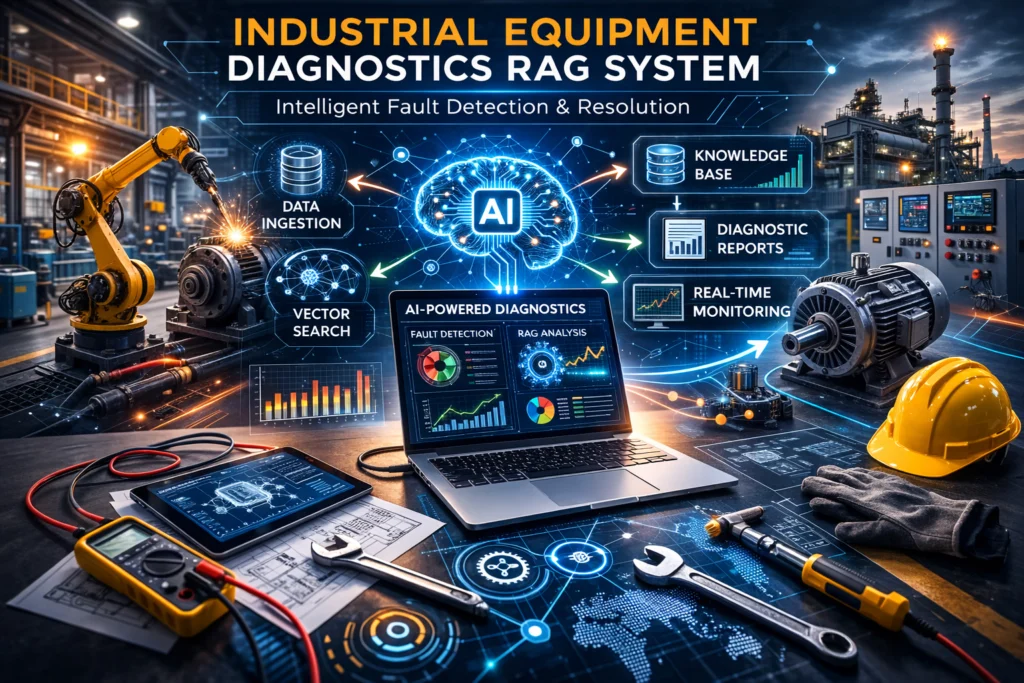
This document provides a comprehensive technical reference for the RAG system. It covers the full architecture, every subsystem, and detailed explanations of how each component works internally. It is intended for developers, maintenance engineers, and OT/IT teams who need to maintain, extend, or deploy the system.
Table of Contents
1. Product Overview
What RAG Does
RAG is an AI-powered industrial equipment diagnostic chatbot designed for manufacturing technicians, maintenance personnel, and plant operators who need to understand what might be wrong with industrial machinery before dispatching a specialist or halting a production line. The system simulates the intake conversation a skilled maintenance engineer or OEM field service representative would conduct — gathering relevant details about the fault, then providing an informed (but appropriately cautious) diagnostic assessment.
When a user enters the application, they follow this flow:
- Equipment Selection: The user selects their equipment’s manufacturer, equipment type, model, and asset tag/serial range from cascading dropdown menus populated from a database of industrial asset records. They also enter their plant/facility code for service team recommendations.
- Fault Description: The user describes the equipment fault in natural language (e.g., “Our CNC machining center spindle makes a high-pitched whine at high RPM”).
- Intelligent Questioning: The AI evaluates whether it has enough information to form a diagnosis. If not, it asks targeted clarifying questions — about operating conditions, runtime hours, recent maintenance events, or observable symptoms — to avoid frustrating the technician.
- Knowledge-Backed Diagnosis: When the AI decides it has sufficient information, it searches across multiple knowledge bases (OEM technical manuals, OSHA/NFPA safety bulletins, parts databases, and historical work order records) to build an evidence-backed diagnostic assessment.
- Three Hypotheses: Every diagnosis presents exactly three possible root causes ranked by likelihood. Each hypothesis identifies the affected system or subsystem and cites a verified source document.
- Service Team Recommendations: The system scores and recommends qualified internal maintenance teams or certified third-party service providers based on their specializations, certifications, ratings, and relevance to the diagnosed fault. Teams are displayed on an interactive facility map view alongside the chat.
Key Design Principles
These principles are enforced through the prompt system and response parsing logic. They represent deliberate product decisions, not just technical preferences.
System-Level Language Only
The AI is explicitly prohibited from naming specific components (e.g., “angular contact bearing 7208,” “servo drive IGBT module,” “proximity sensor NPN output”). Instead, it identifies the system area affected (e.g., “spindle drive system concern,” “hydraulic pressure circuit issue,” “PLC I/O subsystem fault”). The prompt templates contain an explicit list of forbidden part numbers and component names.
The reasoning is both legal and practical: a remote AI system cannot physically inspect equipment, so naming specific components could create liability if the diagnosis is wrong or if a technician replaces the wrong part. The on-site maintenance engineer determines the exact failed component during hands-on inspection with proper test equipment.
Non-Deterministic Language
All diagnostic language uses hedging phrases like “This may indicate…”, “This could be caused by…”, and “Based on the fault symptoms described, this is consistent with…”. The system never makes definitive statements about what is wrong — only what might be wrong.
This is enforced in the system prompt template, which explicitly instructs the LLM to use cautious phrasing and includes examples of acceptable vs. unacceptable language patterns.
Exactly 3 Diagnostic Hypotheses
Every full diagnosis produces exactly three possible root causes, ranked by likelihood. This is a firm product requirement — not two, not four, always three. Each hypothesis must identify a system area, a possible cause, supporting reasoning, and a verified source citation.
The one exception is acknowledgment messages. When a user sends a short message like “thanks,” “ok,” or “got it,” the system returns a brief, friendly closing instead of generating a diagnosis. This is detected through pattern matching against the ai_acknowledgment_patterns database table.
Maximum 2 Clarifying Questions
The system tracks how many clarifying question rounds have occurred in each session (stored as clarifying_count in DynamoDB session metadata). Once 2 rounds have been asked, the system is forced to generate a diagnosis with whatever information it has, even if the information is incomplete.
When forced to diagnose with limited data, the system adjusts its confidence level to LOW and explicitly states that the diagnosis is based on limited information. This prevents the system from appearing evasive or unhelpful — especially important in manufacturing environments where downtime is costly.
AI-Driven Category Selection
Fault categories (112 categories in a 2-level hierarchy like “Rotating Equipment / Bearing Failures”) are selected through semantic vector search against the fault_categories Qdrant collection, not through hardcoded keyword matching. This means the system can correctly categorize faults it hasn’t been explicitly programmed for, as long as the category descriptions are semantically similar to the technician’s description.
Graceful Handling of Limited Data
When the RAG search returns few or no relevant documents, the system doesn’t fabricate information. Instead, it adjusts the confidence level to LOW, uses more cautious language, and relies on the LLM’s general industrial maintenance knowledge while clearly indicating that specific documentation was not available.
User Flow Diagram
SYSTEM USER FLOW DIAGRAM
STEP 1 — EQUIPMENT IDENTIFICATION
User selects:
– Manufacturer
– Equipment Type
– Model
User enters:
– Plant / Facility Code
STEP 2 — FAULT DESCRIPTION
User describes the equipment fault or symptom.
STEP 3 — ACKNOWLEDGMENT CHECK
System evaluates: Is this just “thanks” or “ok”?
YES — ACKNOWLEDGMENT
Return friendly closing response.
NO — REAL QUESTION
Decision LLM evaluates: Enough information to diagnose?
NEED MORE INFO
Ask clarifying question (maximum 2 rounds).
User responds → Loop back to Decision LLM.
READY TO DIAGNOSE
1. Perform 6-stage parallel RAG search.
2. Build diagnosis prompt with RAG context.
3. Generate diagnosis with exactly 3 hypotheses.
4. Score & recommend qualified service teams.
5. Stream response via SSE to user.
2. System Architecture
High-Level Architecture
The system consists of three tiers: a Next.js frontend, a Python FastAPI backend, and a set of external services. The frontend and backend are completely independent codebases that communicate via HTTP APIs, enabling separate deployment and scaling.
Frontend
Next.js | Port 5000
• Equipment search
• Chat interface
• Service team map/cards
• Team details
• API route proxy
Backend
Python/FastAPI | Port 8000
• AI diagnostic engine
• RAG pipeline
• Team scoring
• Session management
• Data ingestion
External Services
Cloud Infrastructure
• AWS SageMaker (Llama 3.1 8B)
• Qdrant Cloud
• AWS DynamoDB
• PostgreSQL
Frontend → Backend → External Services
Technology Stack
Layer
Frontend Framework
UI Components
Styling
State Management
Forms
Maps
Backend Framework
LLM
Embeddings
Vector Database
Relational Database
Chat Storage
Dev Orchestrator
Technology
Next.js 16 (App Router)
Shadcn/ui + Radix UI
Tailwind CSS
TanStack React Query
React Hook Form + Zod
Google Maps JavaScript API
FastAPI (Python)
Meta Llama 3.1 8B Instruct
FastEmbed (BAAI/bge-small-en-v1.5)
Qdrant Cloud
PostgreSQL (Neon)
AWS DynamoDB
Node.js (child_process)
Purpose
Server-side rendering, file-based routing
Accessible, styled component library
Utility-first CSS with dark/light theme
Server state caching and synchronization
Form handling with schema validation
Facility/service team location visualization
High-performance async API server
Hosted on AWS SageMaker
384-dimension text embeddings
Semantic search across 8 collections
Equipment catalog, service teams, work orders, AI config
Session-based conversation history
Runs Next.js + Python together in development
How the Frontend and Backend Communicate
The frontend never calls the Python backend directly from the browser. Instead, Next.js API routes (located in frontend/app/api/) act as a thin proxy layer. When the browser makes a request to /api/chat/stream, it hits a Next.js API route, which reads the BACKEND_URL environment variable (defaults to http://localhost:8000) and forwards the request to the Python backend.
This proxy pattern serves three purposes:
1. Security: The backend URL is never exposed to the browser.
2. CORS avoidance: Since the frontend and backend appear to be on the same origin from the browser’s perspective, no CORS configuration is needed.
3. Independent deployment: The frontend can be deployed to Vercel/Netlify while the backend runs on AWS/Railway/Render. Only the BACKEND_URL variable needs to change.
Development Mode
In development, npm run dev runs server/index.ts, which uses Node.js child_process to spawn two processes:
1. The Python backend (uvicorn main:app –port 8000 –reload) with auto-reload enabled
2. The Next.js frontend (next dev –port 5000) after a 3-second delay to allow the backend to initialize
There are no shared runtime dependencies between the two — they communicate purely over HTTP.
3. AI Diagnostic Engine
This is the core of RAG. The AI engine determines what to ask, when to diagnose, what sources to cite, and which service teams to recommend. Understanding this section is essential for maintaining or extending the system.
Two-LLM Architecture
The system uses two separate calls to the same Llama 3.1 8B Instruct model, but with different parameter configurations. This separation is deliberate: routing decisions need to be fast, deterministic, and predictable, while diagnostic text generation needs to be creative, detailed, and natural-sounding.
Decision LLM (Routing)
The Decision LLM’s sole job is to decide whether the system has enough information to generate a diagnosis, or whether it should ask another clarifying question.
• Temperature: 0.3 — Low temperature makes the output more deterministic
• Max Tokens: 200 — The response only needs to contain a JSON object with an action and optionally a question
• Output Format: JSON object with action: “QUESTION” or action: “DIAGNOSIS”, plus an optional question field
The Decision LLM follows a mandatory 3-step reasoning process:
1. Step 1 — Extract All Info: List everything the technician has already provided, including implicit information. For example, if a user says “there’s smoke coming from the motor housing,” the Decision LLM should recognize that “location” (motor housing) and “severity indicator” (visible smoke = critical) have already been provided implicitly.
2. Step 2 — Check Objectives: Compare the extracted information against diagnostic objectives defined in diagnostic_procedures.yaml. If the user’s symptoms match a known procedure (e.g., “vibration_fault”), the Decision LLM checks which objectives from that procedure have been satisfied.
3. Step 3 — Decision: Proceed to DIAGNOSIS if all diagnostic objectives are met, OR if 2+ clarifying questions have already been asked, OR if the query is a scheduled maintenance request. Ask a QUESTION only if the system is under the question limit and genuinely needs specific missing information.
Diagnosis LLM (Response Generation)
The Diagnosis LLM generates the actual user-facing diagnostic text, including the three hypotheses, severity assessment, and service team recommendations.
• Temperature: 0.7 — Moderate creativity for natural, varied language
• Max Tokens: 1500 — Enough for a full diagnostic response with all required sections
• Output Format: A structured text response with specific tag delimiters
The Diagnosis LLM receives a much larger prompt than the Decision LLM, including the full system prompt with all behavioral rules, RAG context from 6 parallel searches (OEM manuals, OEM service bulletins, parts data, etc.), admin feedback rules, available service team profiles, and the last N messages of conversation history.
Diagnosis Output Format
The Diagnosis LLM produces a response that follows a strict structure with tagged sections. The backend’s Response Parser extracts structured data from these tags:
|||BACKEND_START|||
DIAGNOSTIC_APPROACH: [Brief description of the analytical method used]
HYPOTHESIS_1: [System Area] | [Possible Cause] | [Supporting Reasoning] | [Source Citation]
HYPOTHESIS_2: [System Area] | [Possible Cause] | [Supporting Reasoning] | [Source Citation]
HYPOTHESIS_3: [System Area] | [Possible Cause] | [Supporting Reasoning] | [Source Citation]
SOURCES: [Comma-separated list of all sources cited]
|||BACKEND_END|||
[1-2 sentence user-facing diagnosis summary using cautious language]
Matching you now with qualified service teams.
|||SEVERITY:low/medium/high|||URGENCY:immediate/soon/can_wait|||TEAMS:id1,id2,id3|||
|||TEAM_REASON:id:reason why this team was recommended|||
|||DOC_REFS:Document Title::Document Type;;Document Title::Document Type|||
|||CATEGORY:Category/Subcategory:CONFIDENCE_LEVEL|||
The |||BACKEND_START|||…|||BACKEND_END||| block contains diagnostic reasoning that the frontend shows inline. The metadata tags after the user-facing text are parsed by Response Parser and stripped from the displayed message. They provide structured data for the frontend’s diagnostic card, service team recommendations, and category tracking.
How the Response Parser Works
The ResponseParser class in backend/services/response_parser.py uses regular expressions to extract structured data from the LLM’s free-form output. It extracts backend reasoning, metadata (severity, urgency, recommended team IDs), team-specific recommendation reasons, document references, and fault category with confidence level. The clean_content method strips all metadata tags from the user-facing text and removes common LLM artifacts.
Valid Source Citations
The AI prompt strictly limits which sources can be cited in hypothesis fields. Only these are permitted:
• OEM Technical Manual — [Manufacturer] [Equipment Series] (only manuals actually retrieved from RAG search and present in the prompt context)
• ISO 13849 / ISO 62061 Safety Standards Reference
• OSHA 29 CFR 1910 Machine Guarding Standards
• NFPA 70E Electrical Safety in the Workplace
• IEC 60204-1 Safety of Machinery — Electrical Equipment
• OEM Service Bulletin #[document number]
Internal guidance (admin feedback), diagnostic procedures, and any other context are explicitly marked as NOT A SOURCE in the prompt and must never be cited.
6-Stage RAG Search Architecture
When the Decision LLM routes to DIAGNOSIS, the system performs 6 parallel searches across different Qdrant collections using Python’s ThreadPoolExecutor(max_workers=6):
Stage
Internal Key
Collection
What It Searches
How It Filters
1
stage1_equipment
equipment_repair_documents
OEM technical manual pages relevant to the specific equipment
Filtered by equipment manufacturer; score threshold 0.35
2
stage2_oem_bulletins
oem_bulletin_documents
OEM Service Bulletins and manufacturer field notices for known faults
Filtered by manufacturer, equipment model, and production year for exact matches
3
stage3_symptom
equipment_repair_documents
OEM documents related to reported fault symptoms
Uses symptom-specific keyword queries from DynamicFaultClassifier; threshold 0.3
4
stage4_component
equipment_repair_documents
OEM documents about specific equipment subsystems
Uses subsystem-specific queries from the classifier; threshold 0.3
5
stage5_parts
parts_encyclopedia
Parts information, specifications, and maintenance guides
Semantic search using the user’s primary query
6
stage6_categories
fault_categories
Fault category classification
Semantic matching using the raw user query
After the 6-stage search completes, main.py makes a separate call to retrieve work order cases from the work_order_cases collection (historical repair records), service team profiles from the team_profiles collection, and fallback documents from the general documents collection if fewer than 3 results came back from the staged search.
The Dynamic Fault Classifier
The DynamicFaultClassifier (in backend/fault_classifier.py) analyzes the technician’s query and generates optimized search queries for the different RAG stages by performing semantic search against the fault_categories Qdrant collection.
Its build_rag_queries() method produces three sets of search queries:
1. Equipment-Specific Queries: Created when manufacturer/model are provided. Examples: “Siemens SINAMICS S120 drive fault codes,” “Fanuc 30i CNC spindle alarm troubleshooting.”
2. Symptom-Specific Queries: Derived from detected symptom keywords and the matched category. Examples: “high frequency vibration rotating equipment troubleshooting.”
3. Subsystem-Specific Queries: Based on the identified subsystem from the category match. Examples: “hydraulic pressure control valve repair procedure.”
Response Path Summary
| Path | Trigger | Processing | Service Team Recommendations? |
|---|---|---|---|
| Acknowledgment | User sends a short message matching a pattern in ai_acknowledgment_patterns (e.g., “thanks”, “ok”, “got it”) | No LLM call. A random response is selected from the ai_acknowledgment_responses table. | No |
| Clarifying Question | Decision LLM returns action: “QUESTION” | Single LLM call (Decision LLM only). No RAG search performed. | No |
| Full Diagnosis | Decision LLM returns action: “DIAGNOSIS”, OR the clarifying question limit (2) has been reached | Two LLM calls (Decision + Diagnosis), 6-stage RAG search, knowledge service lookup, team scoring, full response parsing | Yes |
Streaming Response
Chat responses are delivered to the frontend via Server-Sent Events (SSE). The streaming flow: the frontend sends a POST to /api/chat/stream → Next.js proxies to the Python backend → Python generates via SageMaker’s streaming API → tokens sent as SSE events with type: “token” → a final type: “complete” event with full structured response including parsed metadata, diagnostic info, recommended teams, and detected categories.
Service Team Scoring System
When a full diagnosis is generated, the system scores available service teams to determine which ones to recommend. The TeamScorer class in backend/services/team_scorer.py handles this with a multi-factor scoring approach.
Step 1 — Candidate Pool: Service teams are fetched from PostgreSQL filtered by the user’s plant/facility code (matching the facility region for proximity). GPS coordinates calculate distance.
Step 2 — AI Selection: The Diagnosis LLM may include team IDs in its |||TEAMS:id1,id2,id3||| metadata tag, along with per-team reasons in |||TEAM_REASON:id:reason||| tags.
Step 3 — Specialization Scoring: Each team’s specializations are compared against keywords derived from the user’s query and the detected fault category. The TeamScorer maintains a SPECIALIZATION_KEYWORDS mapping (e.g., “hydraulics” maps to keywords like “hydraulic,” “valve,” “cylinder,” “pump,” “actuator”) and calculates a match score. Teams that only specialize in unrelated areas (e.g., an electrical-only team for a hydraulic fault) may receive a penalty.
Step 4 — Vector Similarity: Team profiles from the Qdrant team_profiles collection provide a semantic similarity score between the team’s description/specializations and the technician’s fault description.
Step 5 — Combined Ranking: The final score combines specialization matching, vector similarity, and AI-provided reasons. Teams are sorted by this combined score in descending order.
Each recommended team includes a recommendation_reason explaining why it was selected (e.g., “Specializes in CNC spindle drive systems, OEM certified Fanuc technicians, 4.8 rating, average 2-hour response time”).
Chat responses are delivered to the frontend via Server-Sent Events (SSE). The streaming flow: the frontend sends a POST to /api/chat/stream → Next.js proxies to the Python backend → Python generates via SageMaker’s streaming API → tokens sent as SSE events with type: “token” → a final type: “complete” event with full structured response including parsed metadata, diagnostic info, recommended teams, and detected categories.
4. Data Pipeline & Knowledge Base
The quality of RAG’s diagnoses depends entirely on the quality and coverage of its knowledge base. This section explains every data source, how it’s ingested, and how it flows into the RAG search pipeline.
Data Sources Overview
| Source | Format | Approximate Count | Description |
|---|---|---|---|
| OEM Technical Manuals | PDF (pre-processed) | ~600+ document chunks | Original equipment manufacturer service and maintenance manuals covering all major industrial equipment systems: CNC machines, PLCs, servo drives, hydraulics, pneumatics, conveyors, compressors, and more. |
| OEM Service Bulletins | CSV / XML | ~12,000+ documents | Field service bulletins, engineering change notices, and manufacturer-issued corrective action notices from major industrial OEMs (2018–2025). |
| ISO / OSHA / NFPA Standards | PDF (pre-processed) | Included in count above | Applicable safety and engineering standards referenced during diagnosis. Covers machinery guarding, electrical safety, functional safety, and lockout/tagout requirements. |
| Equipment Catalog | Excel / Database | 6,200+ records | Comprehensive industrial equipment specifications including manufacturer, equipment type, model, production year, power rating, control system type, fluid type, and warranty information. |
| Diagnostic Procedures | YAML | Variable | Fault-based diagnostic decision trees that guide the AI’s questioning strategy. Defined in diagnostic_procedures.yaml with 8 fault symptom types. |
| Parts Encyclopedia | Loader script | Variable | Parts information including part names, descriptions, associated subsystems, and maintenance specifications. |
| Fault Categories | Loader + sync | 112 categories | A 2-level hierarchy of fault types (e.g., “Rotating Equipment / Bearing Failures”) used for automatic categorization. |
| Service Team Profiles | Seed / API | Variable | Maintenance team and service provider data including name, location, specializations, OEM certifications, ratings, and availability. |
Embedding Model
All text is converted to vector embeddings using the same model for consistency:
• Model: BAAI/bge-small-en-v1.5, loaded via the FastEmbed library
• Vector Dimensions: 384
• Distance Metric: Cosine similarity
• Running Location: Locally on the backend server (no API calls needed for embedding generation)
• Score Thresholds: Range from 0.25 to 0.35 depending on the collection
Using a local embedding model means embedding generation is free, fast, and always available. The BAAI/bge-small-en-v1.5 model performs well for industrial maintenance domain text at this scale.
Equipment Manufacturer Filtering
During OEM Service Bulletin data ingestion, non-industrial and consumer equipment manufacturers are automatically filtered out. This prevents the knowledge base from being polluted with documents about consumer appliances, HVAC residential units, or automotive components outside RAG’s industrial scope.
The exclusion list is maintained in backend/config/excluded_manufacturers.json and is applied by both the manufacturer communications loader and the service bulletin loader.
5. Backend API Reference
The Python FastAPI backend exposes a RESTful API. In development, it runs on port 8000. In production, the URL is set via the BACKEND_URL environment variable.
Chat Endpoints (defined in main.py)
| Method | Path | Description |
|---|---|---|
| POST | /api/chat | Send a message and receive a complete JSON response (non-streaming). Used for testing and debugging. |
| POST | /api/chat/stream | Send a message and receive a streaming SSE response. This is what the frontend uses. |
| GET | /api/chat/{session_id} | Retrieve the full chat history for a given session from DynamoDB. |
POST /api/chat/stream — Request Body:
“query”: “Our CNC machining center spindle makes a grinding noise at high RPM”,
“manufacturer”: “Fanuc”,
“equipment_type”: “CNC Machining Center”,
“model”: “ROBODRILL D21MiB5”,
“facility_code”: “PLT-042”,
“session_id”: “optional-uuid-for-conversation-continuity”
}
If session_id is omitted, a new UUID is generated. Providing the same session_id across messages enables multi-turn conversation with history.
Equipment Endpoints (/api/equipment)
These endpoints power the cascading equipment selector dropdowns on the home page. They query the equipment_catalog and equipment_options PostgreSQL tables.
Method
Path
Description
GET
/api/equipment
List equipment with optional filters (manufacturer, type, model)
POST
/api/equipment
Create an equipment record (used during chat session initialization)
GET
/api/equipment/manufacturers
Get all distinct manufacturers available in the catalog
GET
/api/equipment/types?manufacturer=Fanuc
Get all equipment types for a specific manufacturer
GET
/api/equipment/models?manufacturer=Fanuc&type=CNC
Get all models for a manufacturer + type combination
GET
/api/equipment/variants?manufacturer=Fanuc&type=CNC&model=ROBODRILL
Get available model variants for a specific equipment entry
Service Team Endpoints (/api/teams)
| Method | Path | Description |
|---|---|---|
| GET | /api/teams?facility_code=PLT-042 | List service teams, optionally filtered by facility code or region. Can also filter by specialization and min_rating. |
| POST | /api/teams | Create a new service team record |
| GET | /api/teams/{team_id} | Get detailed information for a specific service team |
Feedback Endpoints (/api/feedback)
| Method | Path | Description |
|---|---|---|
| POST | /api/feedback | Submit admin feedback for an AI response. Triggers LLM compression and dual storage (DynamoDB + Qdrant). |
| GET | /api/feedback | List all feedback entries from DynamoDB for the admin panel |
| DELETE | /api/feedback/{feedback_id} | Delete feedback from both DynamoDB and Qdrant |
| PATCH | /api/feedback/{feedback_id}/archive | Archive a feedback entry (sets is_archived flag in both stores) |
Work Order Endpoints (/api/work-orders)
| Method | Path | Description |
|---|---|---|
| GET | /api/work-orders | List work orders with optional filters (team_id, equipment_manufacturer, fault_type) |
| POST | /api/work-orders | Create a work order record |
Document Endpoints (/api/documents)
Method
Path
Description
GET
/api/documents
Search documents with query string and optional filters (type, equipment_manufacturer)
POST
/api/documents
Create a single document record
POST
/api/documents/bulk
Bulk create multiple documents in a single request
GET
/api/documents/list
List all documents (paginated)
Knowledge Base Statistics (/api/knowledge-base)
| Method | Path | Description |
|---|---|---|
| GET | /api/knowledge-base/stats | Returns statistics about the knowledge base: total documents, documents per type, per equipment manufacturer, etc. |
Health Check Endpoints (/api/health)
| Method | Path | Description |
|---|---|---|
| GET | /api/health | Full health check — tests connectivity to PostgreSQL, Qdrant, and DynamoDB. Returns detailed status for each service. |
| GET | /api/health/live | Liveness probe — returns 200 if the server process is running. |
| GET | /api/health/ready | Readiness probe — returns 200 if all database connections are established and ready to serve requests. |
Admin: OEM Bulletin Data Import (/admin/oem-bulletins)
| Method | Path | Description |
|---|---|---|
| GET | /admin/oem-bulletins/files | List available OEM service bulletin data files that can be imported |
| POST | /admin/oem-bulletins/import | Start a background import job for a specific file |
| GET | /admin/oem-bulletins/import/status | Check the progress of a running import job |
| POST | /admin/oem-bulletins/import/cancel | Cancel a running import |
6. Frontend Application
The frontend is a Next.js 16 application using the App Router pattern. It provides two main pages and communicates with the Python backend exclusively through API route proxies.
Pages
| Route | File | Description |
|---|---|---|
| /chat | frontend/app/chat/page.tsx | Chat page — The main diagnostic interface. Contains the ChatInterfaceWithMap component, which renders a split view: the chat panel on the left and a facility/Google Maps view on the right showing recommended service teams. |
| /team/[id] | frontend/app/team/[id]/page.tsx | Service team details page — Shows detailed information about a specific service team including availability, specializations, OEM certifications, past work orders, and a map with their location. |
Key Components
SearchForm (search-form.tsx): The equipment selection form on the home page. It renders cascading dropdown menus (Manufacturer, Equipment Type, Model) that each trigger an API call when a selection is made. The form also includes a facility code input. On submission, the user is navigated to the chat page with all equipment info encoded in URL query parameters.
ChatInterfaceWithMap (chat-interface-with-map.tsx): The largest and most complex component, managing message state, SSE connection lifecycle, session management, diagnostic card rendering (showing hypotheses, severity, sources), service team card rendering, map integration (showing team/facility pins on Google Maps), and feedback submission.
DiagnosticCard (diagnostic-card.tsx): Renders the structured diagnostic output including the three hypotheses (each with system area, possible cause, reasoning, and source), the diagnostic approach, severity/urgency indicators, and source citations.
TeamCard (team-card.tsx): Displays a single service team recommendation with their name, rating, specializations, OEM certifications, match score, distance, and the AI’s recommendation reason.
FacilityMap (facility-map.tsx): Google Maps component that displays facility and service team locations as markers. When a marker is clicked, a TeamDetailsPopup appears with additional information.
Navigation (navigation.tsx): Top navigation bar with the RAG branding and theme toggle.
ThemeToggle (theme-toggle.tsx): Dark/light mode toggle button. User preference is persisted in localStorage.
API Route Proxies
The files in frontend/app/api/ are Next.js route handlers that forward requests to the Python backend. Each one reads the BACKEND_URL environment variable, forwards the incoming request to the corresponding backend endpoint, and returns the backend’s response to the browser.
State Management
The frontend uses a minimal state management approach: TanStack React Query handles all server data fetching with automatic caching. Component-level state (useState) manages UI state like the current message, streaming status, selected team, and feedback form visibility. Session ID is generated client-side and stored in component state.
Theme Support
The application supports dark and light modes via a ThemeProvider context, CSS variables in globals.css for both :root (light) and .dark (dark) selectors, localStorage persistence, and Tailwind CSS utility classes throughout.
7. Database Schema
RAG uses PostgreSQL as its primary relational database for structured data. The schema is defined using SQLAlchemy models in backend/database.py.
PostgreSQL Tables
equipment_catalog
The master equipment reference table, containing 6,200+ records imported from OEM datasets. Used to populate equipment selector dropdowns and provide detailed equipment specifications to the AI during diagnosis.
| Column | Type | Description |
|---|---|---|
| id | serial (PK) | Auto-incrementing primary key |
| external_id | varchar(50) | External reference ID from the source dataset |
| manufacturer | varchar (required) | Equipment manufacturer (e.g., “Siemens”) |
| equipment_type | varchar (required) | Equipment type (e.g., “CNC Machining Center”) |
| model | varchar (required) | Model name (e.g., “SINUMERIK 840D”) |
| variant | varchar | Model variant or configuration level |
| variant_description | text | Detailed description of what the variant includes |
| control_system | varchar | Control system type (e.g., “Siemens SINUMERIK”, “Fanuc 30i”) |
| power_rating_kw | float | Equipment power rating in kilowatts |
| drive_type | varchar | Drive type (e.g., “AC Servo”, “Hydraulic”, “Pneumatic”) |
| fluid_type | varchar | Fluid type if applicable (e.g., “ISO VG 46 Hydraulic Oil”) |
| voltage | varchar | Operating voltage (e.g., “480V 3-Phase”) |
| warranty_parts | varchar | Parts warranty coverage period |
| warranty_labor | varchar | Labor warranty coverage period |
| production_year_start | integer | First production year for this model |
| production_year_end | integer | Last production year (null if still in production) |
| platform_code | varchar | Internal equipment platform identifier |
| source | varchar (required) | Tracks which dataset this record came from |
| imported_at | datetime | Timestamp when this record was imported |
equipment_options
A denormalized lookup table that pre-computes the distinct manufacturer/type/model combinations available for the equipment selector.
assets
Stores equipment asset records associated with individual chat sessions. When a technician starts a chat, their equipment selection is saved here.
Column
Type
Description
id
serial (PK)
Auto-incrementing primary key
manufacturer
varchar (required)
Equipment manufacturer
equipment_type
varchar (required)
Equipment type
model
varchar (required)
Equipment model
control_system
varchar
Control system details
drive_type
varchar
Drive type
fluid_type
varchar
Fluid specification
specifications
json
Additional specifications as a JSON object
service_teams
The service team and maintenance provider directory.
Column
Type
Description
id serial (PK) Auto-incrementing primary key name varchar (required) Team or company name address varchar (required) Street address city varchar (required) City state varchar (required) State facility_code varchar (required) Facility code used for proximity filtering phone varchar Contact phone number email varchar Contact email website varchar Website URL rating float Average performance rating (1.0 to 5.0 scale) review_count integer Number of completed work orders specializations varchar[] Array of specialization areas (e.g., [“CNC Servo Drives”, “Hydraulic Systems”]) certifications varchar[] Array of held certifications (e.g., [“Fanuc Certified”, “Siemens OEM Partner”, “OSHA 30”]) hours json Availability hours stored as JSON latitude float GPS latitude for map display longitude float GPS longitude for map display response_time_hours float Average response time in hours is_verified boolean Whether the team has been verified description text Free-text team description labor_rate float Hourly labor rate in dollars
work_orders
Historical work order records linking assets to service teams. These records feed into the work_order_cases Qdrant collection for RAG search context.
Column
Type
Description
id serial (PK) Auto-incrementing primary key team_id integer (required) Foreign key to the service_teams table asset_id integer Foreign key to the assets table (nullable) equipment_manufacturer varchar Denormalized manufacturer for quick filtering equipment_type varchar Denormalized equipment type equipment_model varchar Denormalized equipment model fault_type varchar (required) Type of fault addressed (e.g., “Spindle Drive Failure”) description text Detailed description of the repair work performed symptoms varchar[] Array of symptoms the technician reported fault_codes varchar[] PLC/controller fault/alarm codes found during diagnosis parts_used varchar[] Parts that were replaced labor_hours float Hours of labor the repair required total_cost float Total cost including parts and labor completed_at datetime Date and time the work order was completed
documents
Metadata for knowledge base documents. The actual document content is stored both here (for reference) and as vector embeddings in Qdrant (for search).
AI Configuration Tables
ai_acknowledgment_patterns — Text patterns that indicate the user is sending an acknowledgment rather than a fault query.
ai_acknowledgment_responses — Pool of responses to randomly select from when an acknowledgment is detected.
ai_symptom_indicators — Keywords that indicate a message contains significant fault symptom information (e.g., “vibrating,” “leaking,” “tripped,” “overheating,” “alarm code”).
jobs — Represents individual job line items within a work order. The model is defined but not currently queried at runtime. Exists for potential future integration with CMMS (Computerized Maintenance Management System) platforms.
8. Vector Database (Qdrant)
Qdrant is the vector database that powers RAG’s semantic search capabilities. All collections use 384-dimension vectors with cosine distance.
Collections
| Collection | Used By | Purpose | Key Payload Fields |
|---|---|---|---|
| equipment_repair_documents | RAG Stages 1, 3, 4 | OEM technical manual content. The primary knowledge base — chunked pages from professional industrial maintenance manuals covering all equipment systems. | title, content, source, equipment_manufacturer, equipment_model |
| oem_bulletin_documents | RAG Stage 2 | OEM Service Bulletins and manufacturer field notices for known faults. Contains equipment-specific known issues and official corrective action instructions. | title, content, manufacturer, model, production_year, bulletin_id |
| parts_encyclopedia | RAG Stage 5 | Parts information including names, descriptions, associated subsystems, and maintenance specifications. | part_name, description, system, category |
| fault_categories | RAG Stage 6, Fault Classifier | The 112-category fault hierarchy used for automatic categorization. | category, parent, description, level |
| team_profiles | search_all_collections() | Vectorized service team profiles enabling semantic matching of team capabilities to technician fault descriptions. | team_id, name, specializations, city, state |
| work_order_cases | search_all_collections() | Historical work order records stored as vectors. When a technician describes a fault, the system finds similar past work orders for additional context. | description, equipment_manufacturer, equipment_model, symptoms |
| admin_feedback | Feedback retrieval in main.py | Admin corrections stored as vectors for semantic retrieval. During diagnosis, the system finds feedback relevant to the current query and equipment type. | feedback_id, initial_query, feedback_text, concise_rule, equipment_manufacturer, equipment_model, submitted_by, is_archived |
| diagnostic_knowledge | KnowledgeService | Fault-based diagnostic procedures from diagnostic_procedures.yaml, stored as vectors. Matched by fault type and equipment attributes using specificity scoring. | fault_type, procedure, manufacturer, model, drive_type, control_system, power_class |
Collection Initialization
Collections are not created at application startup. They are created on-demand when data is first inserted via the _ensure_collection method in qdrant_service.py. The system degrades gracefully — if a collection doesn’t exist during a search, the search returns empty results rather than crashing.
Search Patterns
Filtered search: Most collections support metadata filters. Stage 2 (OEM Bulletins) filters by manufacturer, model, and production year to find bulletins specific to the technician’s exact equipment. Stage 1 filters by manufacturer to find relevant manual sections.
Score thresholds: Each stage has a minimum score threshold (0.25 to 0.35). Higher thresholds (0.35 for Stage 1) prioritize precision; lower thresholds (0.25–0.3 for other stages) cast a wider net. Specificity scoring (diagnostic_knowledge): After retrieving candidate procedures from Qdrant, each one is scored based on how many of its non-null fields match the technician’s equipment context. A procedure that matches on fault_type + equipment_manufacturer + drive_type scores higher than one that only matches on fault_type. A mismatch on any field results in a score of -1, effectively excluding it.9. Configuration & Prompt System
All AI behavior in RAG is controlled through YAML configuration files stored in backend/config/. This design allows maintenance engineers and domain experts to tune the AI’s behavior without touching Python code, and makes all configuration version-controllable through Git.
Configuration Files
ai_prompt_templates.yaml
Template Key
Purpose
How It’s Used
system_prompt
The master system prompt for the Diagnosis LLM
Contains all behavioral rules, output format instructions, source citation rules, and placeholders for dynamic content (equipment info, RAG context, teams, feedback, procedures)
decision_prompt
The prompt for the Decision LLM
Defines the 3-step reasoning process and specifies the JSON output format
llama_tokens
Llama 3.1 special tokens
Token markers used for prompt formatting
error_response
Fallback error message
Displayed to the user when the AI service encounters an unrecoverable error
default_acknowledgment_response
Default acknowledgment reply
Used as fallback if the ai_acknowledgment_responses database table is empty
feedback_formatting.system
System prompt for feedback compression
Instructs the LLM to compress admin feedback into a concise rule in maintenance shorthand (max 25 words)
feedback_formatting.user
User prompt for feedback compression
Template with {feedback_text} placeholder
ai_model_settings.yaml
Setting Group
Parameters
When Used
diagnosis
max_tokens: 1500, temperature: 0.7, top_p: 0.9
Non-streaming diagnostic response generation
decision
max_tokens: 200, temperature: 0.3, top_p: 0.9
Decision LLM routing (QUESTION vs. DIAGNOSIS)
streaming
max_tokens: 1500, temperature: 0.7, top_p: 0.9, stream: true
Streaming diagnostic response generation
retry
max_retries: 3, base_delay: 1.0 seconds
SageMaker retry configuration for transient failures
limits
chat_history_window: 10, max_clarifying_questions: 2, max_acknowledgment_words: 5
Behavioral limits
diagnostic_procedures.yaml
This file defines fault-based diagnostic decision trees that guide the Decision LLM’s questioning strategy. There are 8 fault types, each with its own diagnostic procedure:
Fault Type
What It Covers
Example User Messages
vibration
Abnormal vibration or oscillation
“Our pump is vibrating excessively at startup”
noise
Unusual sounds from equipment
“The spindle makes a high-pitched whine at high RPM”
thermal
Overheating or thermal faults
“The servo drive is tripping on over-temperature”
fluid_leak
Visible hydraulic, lubricant, or coolant loss
“There’s oil pooling under the hydraulic power unit”
electrical_fault
Electrical alarms, tripped breakers, control faults
“The PLC is showing an E-stop circuit fault”
no_start
Equipment won’t start, won’t cycle, stalls
“The conveyor won’t start after the power outage”
performance_degradation
Output below spec, slow cycle times, quality issues
“The press cycle time has increased by 30%”
maintenance_request
Scheduled preventive maintenance
“We need to do the 2000-hour PM on the compressor”
Each procedure defines diagnostic objectives, relevant questions, and decision criteria.
How Prompts Are Built
The PromptBuilder class in backend/services/prompt_builder.py orchestrates the assembly of the final LLM prompt. The RAG context from the 6-stage search is formatted with OEM bulletins prioritized first. All formatted sections are injected into the system_prompt template via placeholder substitution: {equipment_manufacturer}, {equipment_type}, {equipment_model}, {facility_code}, {context_text}, {category_text}, {work_order_cases_text}, {team_profiles_text}, {teams_text}, {feedback_text}, and {procedure_content}.
The system prompt, chat history, and current user query are then assembled into the Llama 3.1 instruction format using special tokens.
10. Admin Feedback System
The admin feedback system enables continuous improvement of the AI’s diagnostic accuracy without requiring model fine-tuning or retraining. When a senior maintenance engineer or OEM specialist notices the AI making an incorrect assessment, they can submit a correction that will automatically be applied to future diagnoses for similar queries.
Why This Approach?
Traditional approaches to improving AI accuracy — fine-tuning the model on corrected data — are expensive, time-consuming, and require significant ML infrastructure. RAG uses a RAG-based approach instead: corrections are stored as searchable vectors and retrieved when semantically similar queries arise. This provides immediate effect (corrections apply to the next conversation), full auditability, reversibility (corrections can be deleted without affecting the base model), and requires no ML expertise from the feedback submitter.
End-to-End Flow
Step 1 — Submission: A maintenance engineer or OEM specialist views an AI diagnostic response in the chat interface and clicks the feedback button. They select a feedback category (“Follow-up Questions” or “Diagnosis”), write a correction in natural language, and submit. The form automatically captures the original query, the AI’s response being corrected, equipment information, conversation context, and who submitted it.
Step 2 — LLM Compression: The raw feedback text is sent to the LLM with a special compression prompt that compresses verbose feedback into a concise rule in maintenance shorthand (max 25 words). For example: “Amber oil mist from motor vent = bearing lubrication loss, not coolant system. Check lube lines first.”
Step 3 — Dual Storage: The full feedback record is stored in DynamoDB (complete audit trail), and the feedback text is embedded as a vector in Qdrant’s admin_feedback collection with the compressed rule and equipment metadata as payload fields. Equipment manufacturer and model are always stored in UPPERCASE for consistent filtering.
Step 4 — Retrieval During Diagnosis: When the system generates a new diagnosis, it searches the admin_feedback Qdrant collection for the top 3 most relevant feedback items, filtered by equipment manufacturer to ensure relevance.
Step 5 — Prompt Injection: Retrieved feedback rules are injected into the system prompt under the heading INTERNAL GUIDANCE (NOT A SOURCE). Each rule appears as a bullet point.
Step 6 — Silent Application: The Diagnosis LLM reads the injected feedback rules and applies them to its reasoning, citing the relevant OEM manual or standard as the source — never the admin feedback itself.
Managing Feedback
GET /api/feedback returns all feedback for admin review. DELETE /api/feedback/{id} removes a correction from both DynamoDB and Qdrant. PATCH /api/feedback/{id}/archive excludes a correction from retrieval while preserving the record. python backend/data_ingestion/backfill_concise_rules.py re-runs LLM compression on all existing feedback.
10. Admin Feedback System
The admin feedback system enables continuous improvement of the AI’s diagnostic accuracy without requiring model fine-tuning or retraining. When a senior maintenance engineer or OEM specialist notices the AI making an incorrect assessment, they can submit a correction that will automatically be applied to future diagnoses for similar queries.
Why This Approach?
Traditional approaches to improving AI accuracy — fine-tuning the model on corrected data — are expensive, time-consuming, and require significant ML infrastructure. RAG uses a RAG-based approach instead: corrections are stored as searchable vectors and retrieved when semantically similar queries arise. This provides immediate effect (corrections apply to the next conversation), full auditability, reversibility (corrections can be deleted without affecting the base model), and requires no ML expertise from the feedback submitter.
End-to-End Flow
Step 1 — Submission: A maintenance engineer or OEM specialist views an AI diagnostic response in the chat interface and clicks the feedback button. They select a feedback category (“Follow-up Questions” or “Diagnosis”), write a correction in natural language, and submit. The form automatically captures the original query, the AI’s response being corrected, equipment information, conversation context, and who submitted it.
Step 2 — LLM Compression: The raw feedback text is sent to the LLM with a special compression prompt that compresses verbose feedback into a concise rule in maintenance shorthand (max 25 words). For example: “Amber oil mist from motor vent = bearing lubrication loss, not coolant system. Check lube lines first.”
Step 3 — Dual Storage: The full feedback record is stored in DynamoDB (complete audit trail), and the feedback text is embedded as a vector in Qdrant’s admin_feedback collection with the compressed rule and equipment metadata as payload fields. Equipment manufacturer and model are always stored in UPPERCASE for consistent filtering.
Step 4 — Retrieval During Diagnosis: When the system generates a new diagnosis, it searches the admin_feedback Qdrant collection for the top 3 most relevant feedback items, filtered by equipment manufacturer to ensure relevance.
Step 5 — Prompt Injection: Retrieved feedback rules are injected into the system prompt under the heading INTERNAL GUIDANCE (NOT A SOURCE). Each rule appears as a bullet point.
Step 6 — Silent Application: The Diagnosis LLM reads the injected feedback rules and applies them to its reasoning, citing the relevant OEM manual or standard as the source — never the admin feedback itself.
Managing Feedback
GET /api/feedback returns all feedback for admin review. DELETE /api/feedback/{id} removes a correction from both DynamoDB and Qdrant. PATCH /api/feedback/{id}/archive excludes a correction from retrieval while preserving the record. python backend/data_ingestion/backfill_concise_rules.py re-runs LLM compression on all existing feedback.
11. Environment Variables & Secrets
Required Variables
Optional Variables (with defaults)
Variable
Description
Used By
DATABASE_URL
PostgreSQL connection string
Backend — SQLAlchemy database connection
AWS_ACCESS_KEY_ID
AWS IAM access key
Backend — SageMaker LLM inference + DynamoDB
AWS_SECRET_ACCESS_KEY
AWS IAM secret key
Backend — paired with access key above
Variable
Default
Description
AWS_REGION
us-east-1
AWS region for SageMaker endpoint and DynamoDB table
SAGEMAKER_ENDPOINT_NAME
meta-llama-3-1-8b-instruct-012205
Name of the SageMaker inference endpoint
QDRANT_URL
(none)
URL of your Qdrant Cloud instance. If not set, vector search features are disabled.
QDRANT_API_KEY
(none)
Authentication key for Qdrant Cloud. Required if QDRANT_URL is set.
BACKEND_URL
http://localhost:8000
The Python backend URL, used by Next.js API routes to proxy requests.
VITE_GOOGLE_MAPS_API_KEY
(none)
Google Maps JavaScript API key for the map component
NEXT_PUBLIC_GOOGLE_MAPS_API_KEY
(none)
Same as above but exposed to the Next.js client bundle
SESSION_SECRET
(none)
Secret key for session encryption
Environment Validation
On startup, env_validator.py checks that all required environment variables are set, logs warnings (not errors) for missing optional variables, and supports both DATABASE_URL format and individual PostgreSQL variables (PGHOST, PGPORT, PGUSER, PGPASSWORD, PGDATABASE). The validator runs in non-strict mode — features that depend on missing variables degrade gracefully.
11. Environment Variables & Secrets
Architecture: Independent Deployment
The frontend and backend are designed to be deployed completely independently. There is no shared server process, no shared filesystem, and no shared configuration beyond the BACKEND_URL variable.
Frontend Deployment
1. Set BACKEND_URL to your deployed backend’s URL (e.g., https://api.industrialrag.com)
2. Set NEXT_PUBLIC_GOOGLE_MAPS_API_KEY for maps functionality
3. Build the application: cd frontend && npm run build
4. Start the production server: cd frontend && npm start
Backend Deployment
1. Set all required environment variables
2. Set optional variables (QDRANT_URL, QDRANT_API_KEY) for vector search
3. Install Python dependencies: pip install -r requirements.txt
4. Start the server: uvicorn main:app –host 0.0.0.0 –port 8000
For production: gunicorn main:app -w 4 -k uvicorn.workers.UvicornWorker –bind 0.0.0.0:8000
Development Mode
npm run dev — executes server/index.ts which starts the Python backend on port 8000 with –reload, waits 3 seconds, then starts Next.js on port 5000.
Health Checks
• Liveness: GET /api/health/live — Returns 200 if the server process is running.
• Readiness: GET /api/health/ready — Returns 200 if all database connections are established.
• Full Health: GET /api/health — Returns detailed JSON status of each dependency.
13. Data Ingestion Scripts
All data ingestion scripts are in backend/data_ingestion/ and are designed to be run manually from the command line.
Equipment Catalog Import
python backend/data_ingestion/equipment_catalog_loader.py <excel_file.xlsx> –source <source_name>
OEM Manufacturer Communications
python backend/data_ingestion/oem_comms_loader.py <csv_file>
Parses an OEM manufacturer communications CSV, filters out non-industrial equipment manufacturers, generates text embeddings, and stores in the oem_bulletin_documents Qdrant collection.
OEM Service Bulletins
python backend/data_ingestion/service_bulletin_loader.py <tsv_file>
Same pipeline as above, but parses tab-separated service bulletin files with detailed corrective action instructions.
Diagnostic Knowledge Procedures
python backend/data_ingestion/knowledge_loader.py –clear
Loads diagnostic procedures from backend/config/diagnostic_procedures.yaml into the diagnostic_knowledge Qdrant collection. The –clear flag removes all existing entries before loading.
Parts Encyclopedia
python backend/data_ingestion/parts_encyclopedia_loader.py
Fault Categories
python backend/data_ingestion/fault_categories_loader.py
python backend/data_ingestion/fault_categories_qdrant_sync.py
A two-step process: the first script loads 112 fault categories into PostgreSQL; the second reads them, generates embeddings, and syncs to the fault_categories Qdrant collection.
Full Environment Seed (Development)
python backend/data_ingestion/seed_all.py
Seeds a new development environment with all base data: service teams, sample equipment assets, AI configuration, and diagnostic enrichment data.
Admin Feedback Backfill
python backend/data_ingestion/backfill_concise_rules.py [–dry-run]
Re-runs the LLM compression step on all existing admin feedback entries. The –dry-run flag shows what would change without actually updating records.
14. Directory Structure
IndustrialRAG-Frontend/
├── app/
│   ├── api/
│   │   ├── chat/
│   │   │   └── stream/route.ts
│   │   ├── feedback/
│   │   │   ├── route.ts
│   │   │   └── [id]/route.ts
│   │   ├── teams/
│   │   │   ├── route.ts
│   │   │   └── [id]/route.ts
│   │   └── equipment/
│   │       ├── manufacturers/route.ts
│   │       ├── types/route.ts
│   │       ├── models/route.ts
│   │       └── variants/route.ts
│   │
│   ├── chat/page.tsx
│   ├── team/[id]/page.tsx
│   ├── components/
│   │   ├── chat-interface-with-map.tsx
│   │   ├── search-form.tsx
│   │   ├── diagnostic-card.tsx
│   │   ├── team-card.tsx
│   │   ├── facility-map.tsx
│   │   ├── team-details-popup.tsx
│   │   ├── navigation.tsx
│   │   ├── theme-toggle.tsx
│   │   └── ui/
│   │
│   ├── hooks/
│   ├── lib/
│   ├── providers/
│   ├── globals.css
│   ├── layout.tsx
│   └── page.tsx
│
├── public/
├── package.json
├── next.config.mjs
├── tailwind.config.ts
├── tsconfig.json
├── .gitignore
└── README.md
IndustrialRAG-Backend/
├── main.py
├── ai_service.py
├── qdrant_service.py
├── dynamo_service.py
├── database.py
├── fault_classifier.py
├── config.py
├── models.py
├── error_handlers.py
├── env_validator.py
│
├── routers/
│   ├── health.py
│   ├── equipment.py
│   ├── teams.py
│   ├── work_orders.py
│   ├── documents.py
│   ├── knowledge_base.py
│   ├── feedback.py
│   └── oem_bulletin_admin.py
│
├── services/
│   ├── ai_config_service.py
│   ├── prompt_builder.py
│   ├── response_parser.py
│   ├── knowledge_service.py
│   ├── team_scorer.py
│   └── seed.py
│
├── config/
│   ├── ai_prompt_templates.yaml
│   ├── ai_model_settings.yaml
│   ├── diagnostic_procedures.yaml
│   ├── facility_coordinates.json
│   └── excluded_manufacturers.json
│
├── data/
│   └── attached_assets/
│
├── data_ingestion/
│   ├── seed_all.py
│   ├── oem_comms_loader.py
│   ├── service_bulletin_loader.py
│   ├── knowledge_loader.py
│   ├── equipment_catalog_loader.py
│   ├── parts_encyclopedia_loader.py
│   ├── fault_categories_loader.py
│   ├── fault_categories_qdrant_sync.py
│   ├── backfill_concise_rules.py
│   └── _legacy/
│
├── requirements.txt
├── .gitignore
└── README.md
15. Maintenance & Operations
Adding New Diagnostic Procedures
To add a new procedure:
1. Edit backend/config/diagnostic_procedures.yaml and add a new entry under the appropriate fault type. Each procedure needs a fault type (one of the 8 categories), diagnostic objectives, relevant questions to consider asking, and optional equipment-specific fields (manufacturer, model, drive_type, control_system) for specificity scoring.
2. Run the knowledge loader: python backend/data_ingestion/knowledge_loader.py –clear
3. No code changes or server restart required.
Adding Admin Feedback
1. Open the chat interface and find an AI response that needs correction
2. Click the feedback button on the assistant’s message
3. Write the correction in clear, specific language (e.g., “When fault code F025 appears on Siemens S120 drives with overtemp alarm, always check the heat sink thermal paste first — it degrades after 5 years”)
4. Submit — the system automatically compresses it and stores it in DynamoDB and Qdrant
5. Future diagnoses for similar equipment/fault combinations will incorporate the correction
Updating the Equipment Catalog
python backend/data_ingestion/equipment_catalog_loader.py <file.xlsx> –source <source_name>
Importing New OEM Bulletin Data
Option A — Command Line (recommended for large files):
python backend/data_ingestion/oem_comms_loader.py <csv_file>
python backend/data_ingestion/service_bulletin_loader.py <tsv_file>
Option B — Admin API:
1. GET /admin/oem-bulletins/files to verify file is detected
2. POST /admin/oem-bulletins/import with the file path to start a background import
3. GET /admin/oem-bulletins/import/status to monitor progress
4. POST /admin/oem-bulletins/import/cancel if you need to stop the import
Monitoring
GET /api/health returns a JSON object with the status of every dependency. All backend modules use Python’s logging module. Global error handlers in error_handlers.py catch unhandled exceptions and return structured error responses rather than stack traces.
Scaling Considerations
Frontend: Completely stateless — deploy behind a CDN or load balancer.
Backend: Also stateless — all session data lives in DynamoDB.
Qdrant: Managed cloud instance that scales independently.
PostgreSQL: Standard database scaling strategies apply — read replicas for read-heavy workloads, connection pooling (e.g., PgBouncer).
DynamoDB: AWS-managed with automatic scaling.
SageMaker: Endpoint scaling configured in the AWS console — increase instance count for higher concurrent throughput from multiple plant locations.
Fault Category System
Categories are organized in a strict 2-level hierarchy: Parent Category / Subcategory (e.g., “Rotating Equipment / Bearing Failures”). There are 112 categories covering all common industrial fault types. Categories are selected through semantic vector search, not hardcoded rules. To add new categories: update the fault categories loader data, run the loader to insert into PostgreSQL, then run the sync script to update Qdrant.
16. Appendix: Key Design Decisions
Decision
Rationale
Two-LLM system instead of a single prompt
Routing decisions need low temperature (0.3) for consistency, while diagnostic text needs higher temperature (0.7) for natural language. Separate calls improve routing reliability and response quality in industrial settings.
6-stage parallel RAG search
Different document types require different filters. Parallel execution via ThreadPoolExecutor minimizes latency during active equipment troubleshooting.
YAML-based prompt management
Allows domain experts to modify prompts without touching Python code. Fully version-controlled through Git.
System-level language only
Avoids liability and incorrect part replacement. Directs technicians to the subsystem rather than naming specific components.
Maximum 2 clarifying questions
Limits technician frustration and downtime. Forces diagnosis with available information after two rounds.
Admin feedback via RAG retrieval
Immediate effect, auditable, reversible, and requires no ML infrastructure compared to fine-tuning.
DynamoDB for chat sessions
High-frequency key-value data with auto-scaling and millisecond latency.
PostgreSQL for structured data
Supports relational integrity, foreign keys, ACID transactions, and complex SQL queries.
Qdrant for vector search
Purpose-built vector database with filtering, multiple collections, and managed scaling.
Next.js API route proxies
Keeps backend URL hidden, avoids CORS issues, and supports independent deployment.
Independent frontend/backend
Allows separate scaling strategies and deployment environments suitable for industrial networks.
FastEmbed for local embeddings
Eliminates embedding API latency/cost and ensures availability during production faults.
Concise rule compression for feedback
Reduces prompt size and improves clarity of injected maintenance guidance rules.
Score thresholds per RAG stage
Different data sources require different precision/recall balance thresholds.
Acknowledgment detection via database
New shorthand or abbreviations can be added without code deployment.